

Enterprise DevSecOps Add-Ons
Jataka is not only an automated testing tool. It can also operate as an automated principal architect for your Salesforce repository by enforcing your internal engineering policies. To make Jataka adapt to your organization, use these Configuration-as-Code features:.jatakaignorefor smart noise filteringjataka-rules.ymlfor semantic architecture policy enforcement
1) Smart Noise Filtering (.jatakaignore)
By default, Jataka analyzes every Salesforce file changed in a pull request. Use .jatakaignore to exclude files or folders such as mock classes, legacy modules, or non-actionable test helpers.
Create .jatakaignore in the repository root (or .jataka/ignore) and define standard glob patterns:
Expected Behavior
- On PR open, Jataka fetches changed files.
- Jataka filters those files through
.jatakaignore. - If only some files are ignored, Jataka continues with the remaining files.
- If all files are ignored, Jataka skips review and generation to save CI resources.
2) Custom AI Architecture Policies (jataka-rules.yml)
Traditional static scanners mainly depend on pattern matching. Jataka applies semantic policy evaluation, so it can enforce architecture intent even when implementation details vary.
Define project-specific rules in jataka-rules.yml (or .jataka/rules.yml):
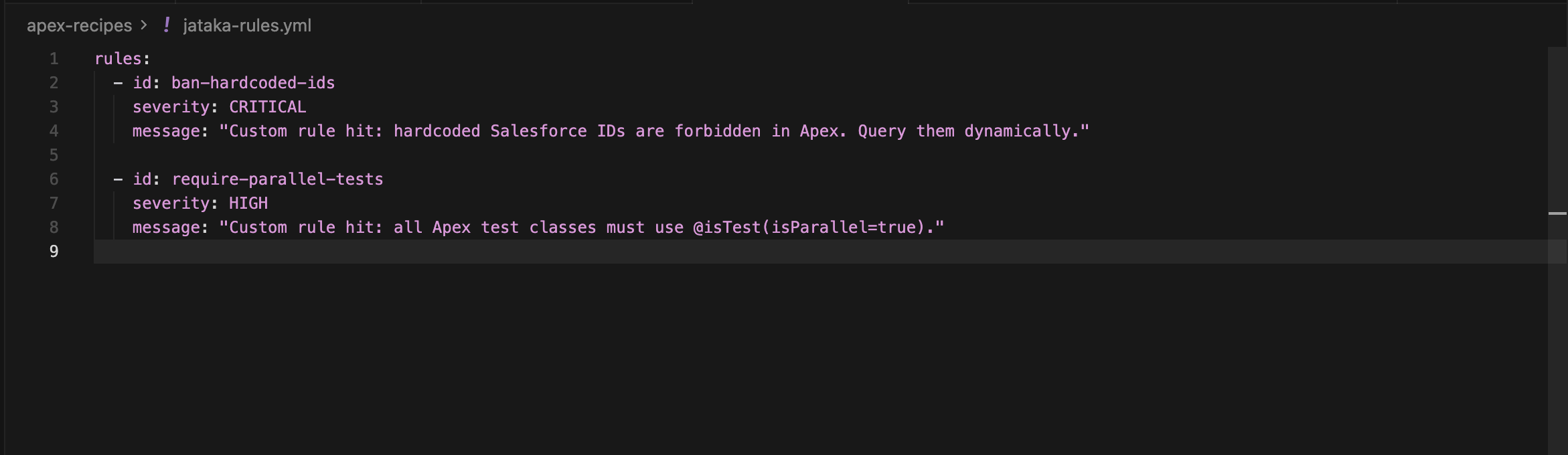 Define rules for your project like this:
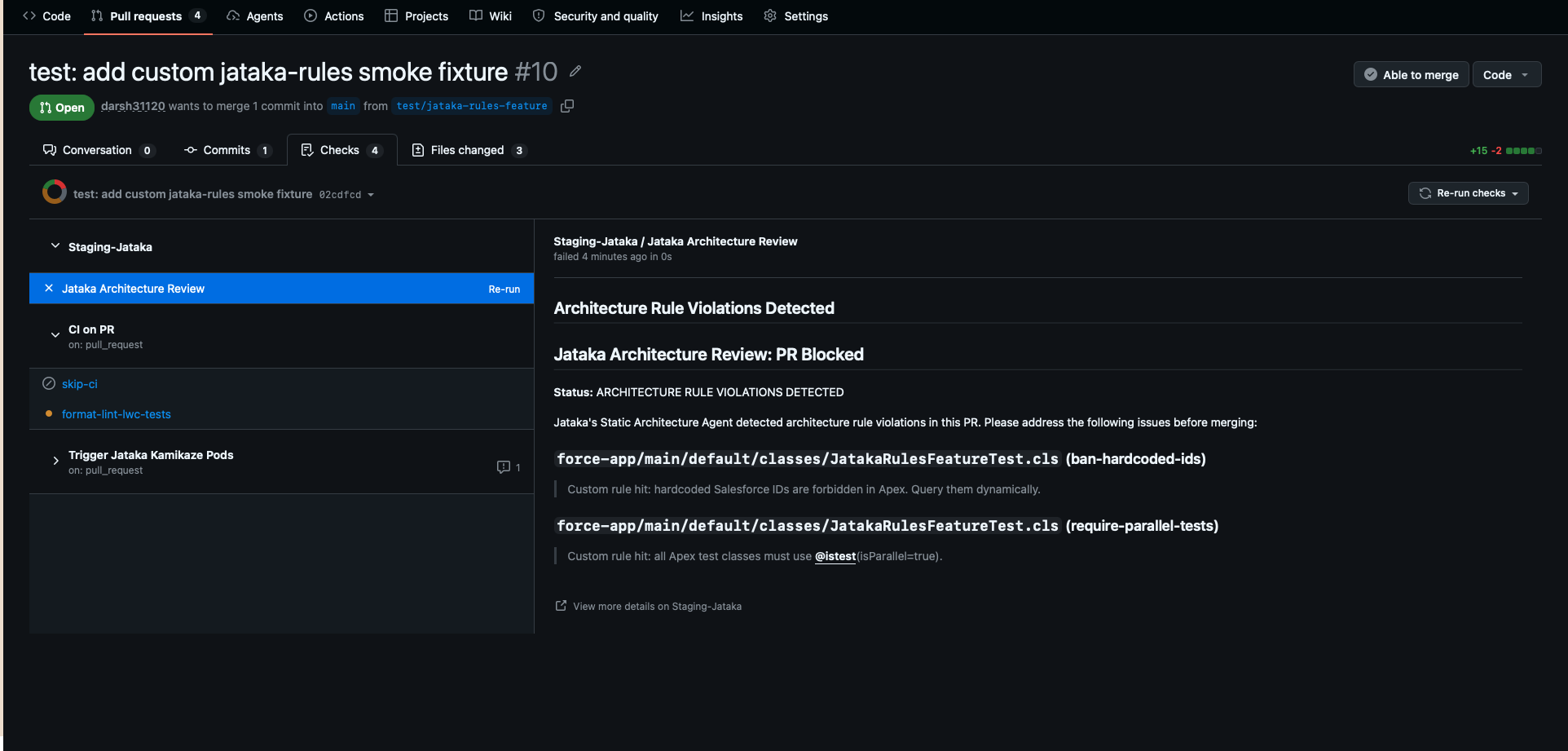 Jataka will ensure that these rules are followed in the coming PRs by failing check runs for policy violations and blocking merges until issues are resolved.
Checklist for Lead Architects
- Create
.jatakaignorein the repository root to filter non-actionable files. - Create
jataka-rules.ymlin the repository root to codify non-negotiable architecture standards. - Ensure GitHub Actions triggers Jataka after deployment to your scratch org or target environment.
- Open a test PR and confirm policy checks fail/pass as expected.