Tech Debt Cleanup
Conquering Tech Debt: Autonomous Salesforce Cleanup
As your Salesforce instance grows, so does the clutter. Salesforce enforces a strict limit of 500 custom fields per object. Approaching this limit is a nightmare for development teams because manually searching for unused fields, and verifying they are not secretly tied to an old Flow, Apex class, or Page Layout, takes countless hours and carries a high risk of breaking something. Enter Jataka’s Autonomous Org Optimization. Jataka continuously maps your entire Salesforce metadata using an advanced Neo4j Knowledge Graph. Because Jataka understands every single dependency in your org, it can confidently identify orphaned fields, fields taking up precious limits but safely disconnected from the rest of your system. Here is how you can use Jataka to automatically clean up your org and reclaim your field limits in minutes.Step 1: Scan for Dead Weight on the Dashboard
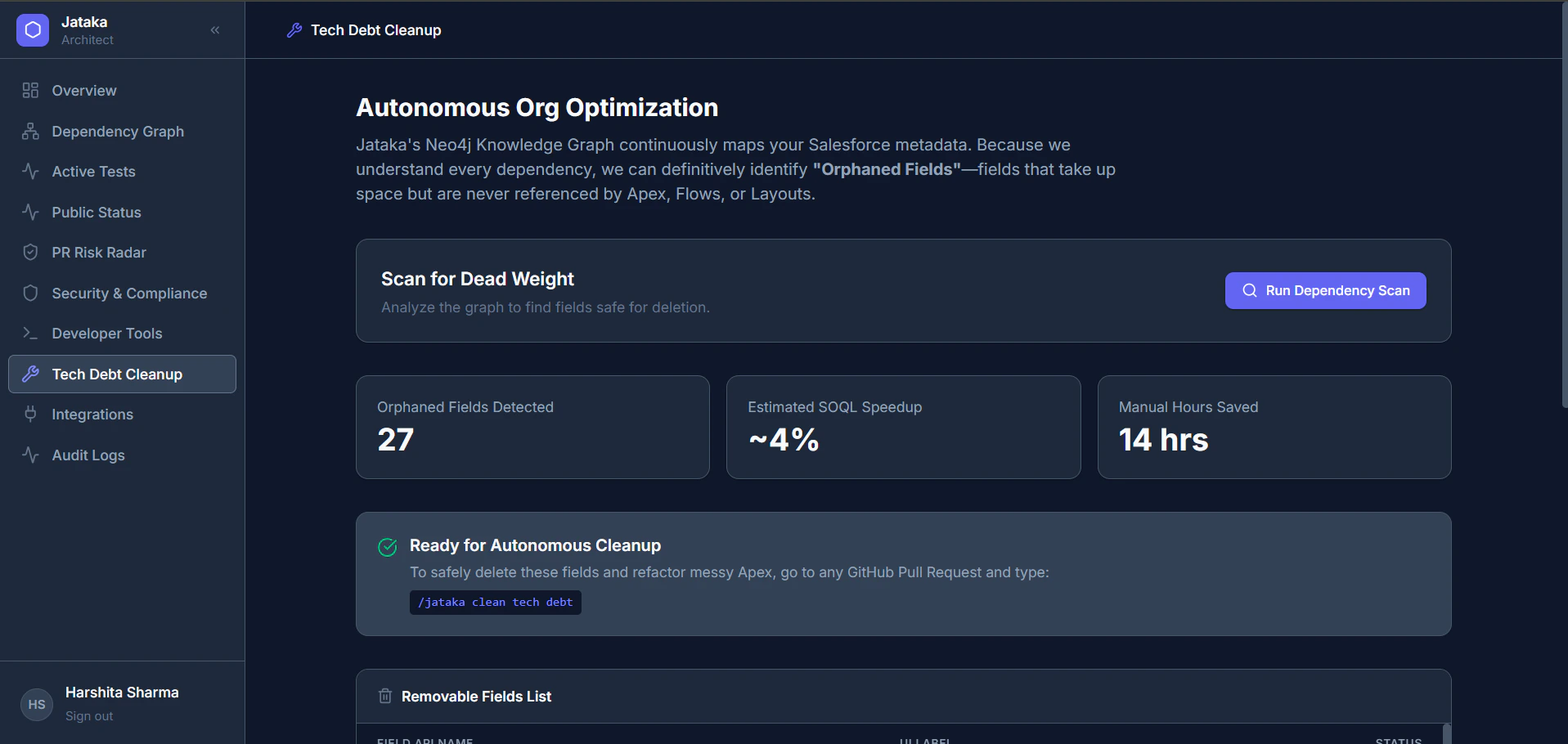
Before deleting anything, Jataka lets you see exactly what is clogging up your system. Open your Jataka Architect Dashboard. Navigate to Tech Debt Cleanup on the left-hand menu. Click the Run Dependency Scan button. Jataka will instantly calculate your tech debt, showing you:- Orphaned Fields Detected: The exact number of disconnected fields safely available for deletion.
- Estimated SOQL Speedup: How much faster your database queries will run once the clutter is gone.
- Manual Hours Saved: The time your team just saved by not having to trace dependencies manually.
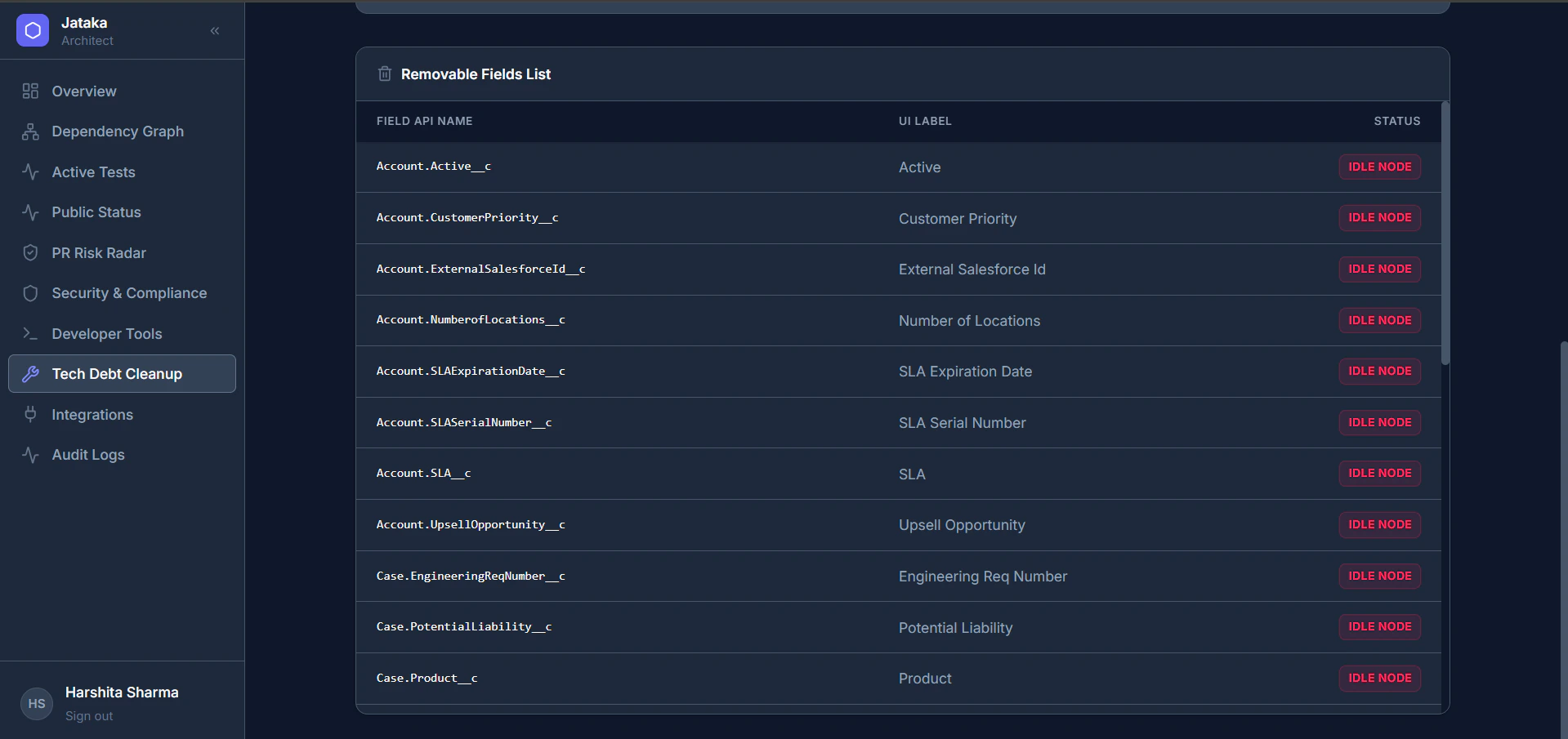
IDLE NODE) that Jataka has flagged as 100% safe to remove.
Step 2: The Magic Cleanup Command
Once you have reviewed the Removable Fields List on the dashboard, you do not have to manually delete fields one by one in Salesforce. Jataka handles the heavy lifting directly from your code repository. To safely trigger autonomous cleanup: Go to any active GitHub Pull Request in your repository. In the comments, type: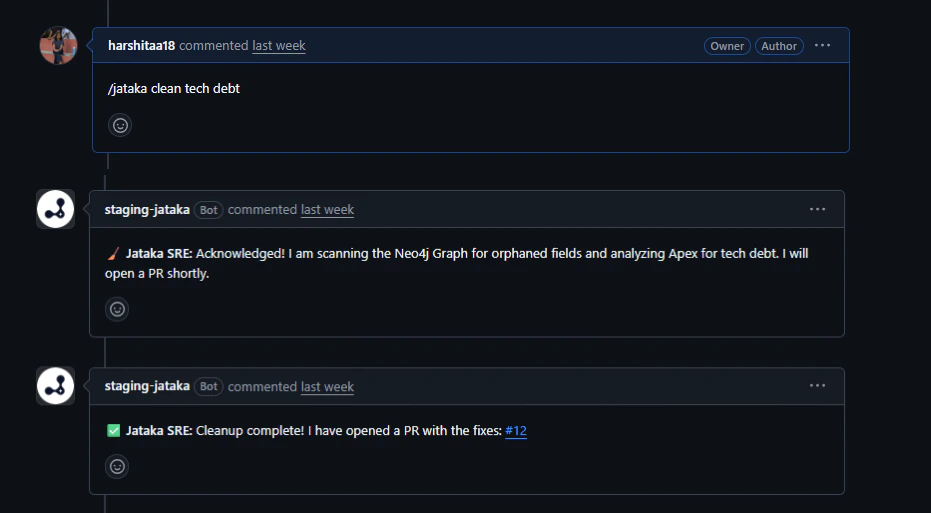
Step 3: Autonomous PR and destructiveChanges.xml
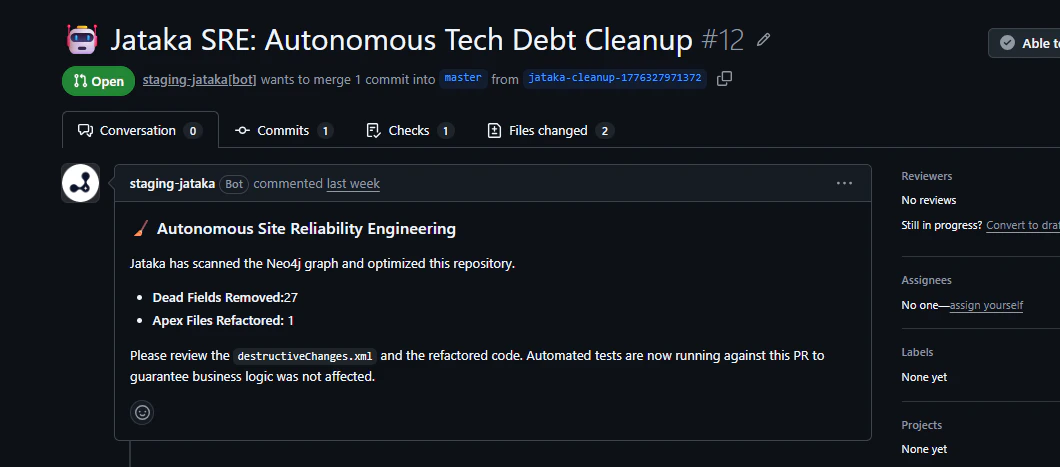
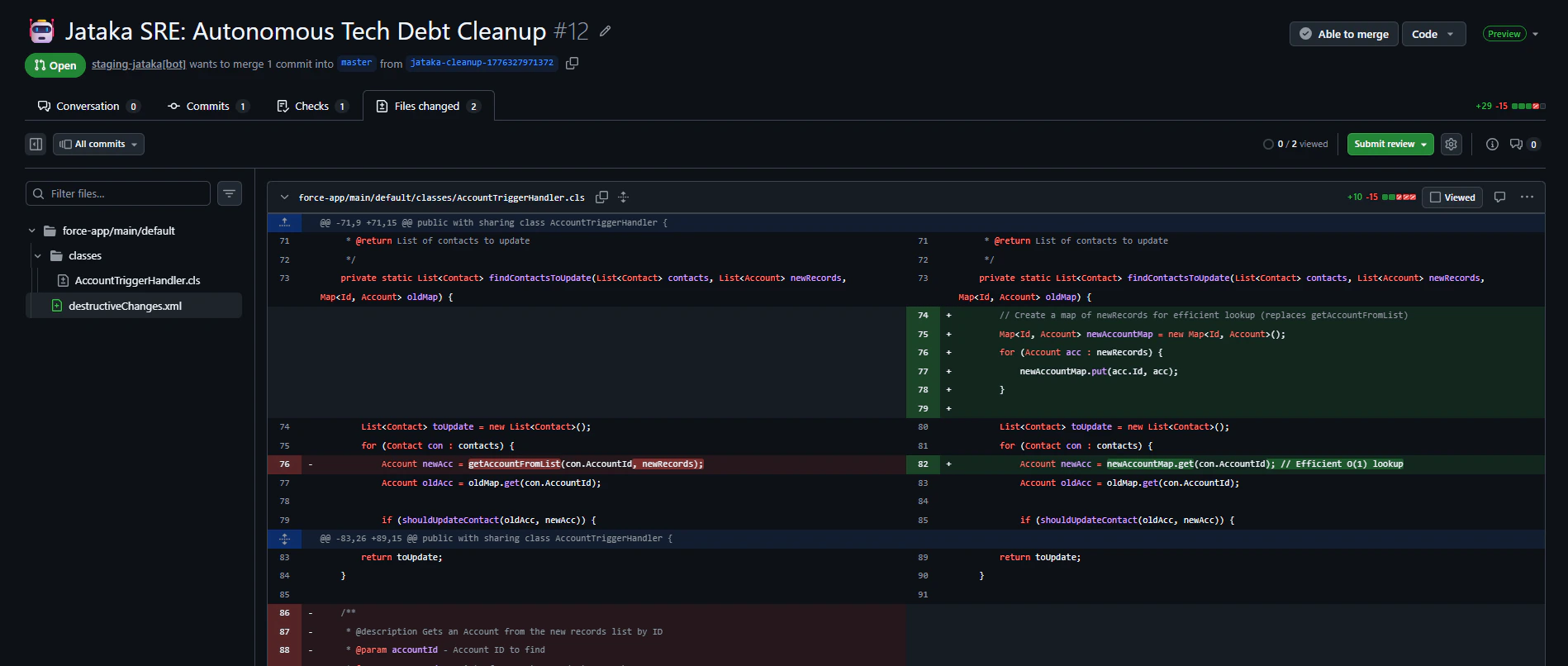
The moment you send the magic command, the Jataka Bot goes to work.- Automatic PR creation: Jataka automatically branches off and generates a brand-new Pull Request dedicated solely to cleaning up tech debt.
- Precision deletion code: Inside this PR, Jataka writes the precise
destructiveChanges.xmlfile required by Salesforce to delete those specific orphaned nodes. - Review and merge: Your team reviews the generated PR and clicks merge.
Bonus: Preventative Tech Debt Blocking
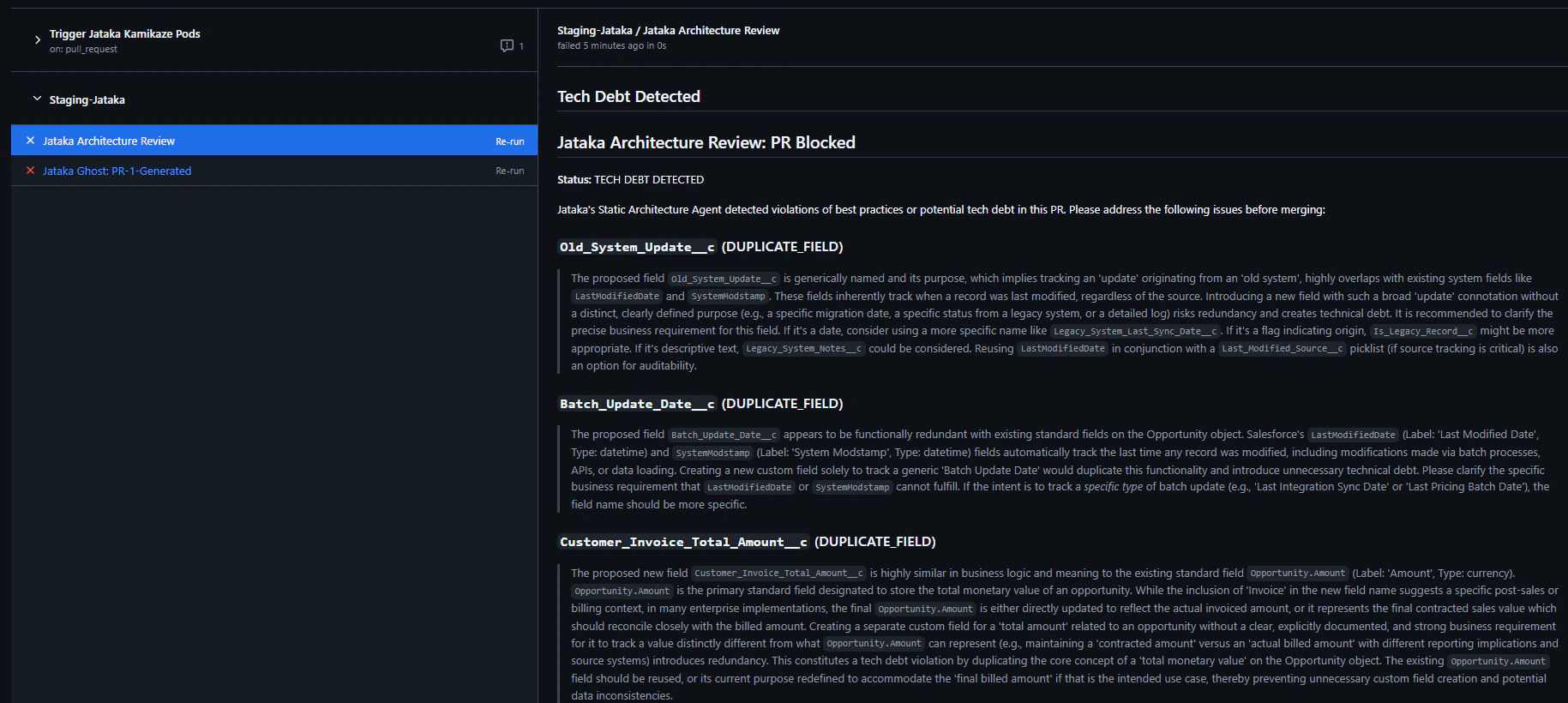
Jataka does not just clean up old messes, it also stops new ones from being made. As seen in your GitHub pull requests, Jataka’s Static Architecture Agent acts as a gatekeeper. If a developer tries to create a new field (for example,Batch_Update_Date__c) that is functionally redundant or highly similar to a standard field, Jataka flags it as DUPLICATE_FIELD and blocks the PR. This ensures your org stays clean from day one.