> ## Documentation Index
> Fetch the complete documentation index at: https://docs.jataka.io/llms.txt
> Use this file to discover all available pages before exploring further.
# Permissions and Scopes
> Configure Salesforce OAuth scopes and required permissions for Jataka integrations.
# Permissions and Scopes
Use this page as a central reference for Jataka integration permissions across GitHub, Salesforce, Jira, and Slack.
This is a single-page permissions reference with all integrations in one place for faster navigation and review.
## GitHub App Permissions
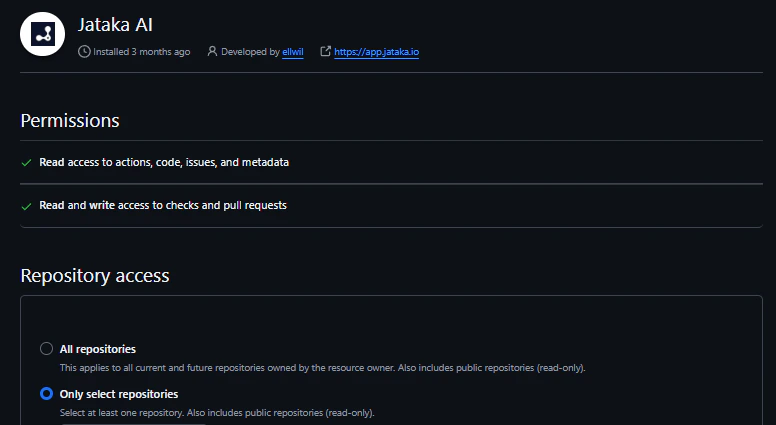
Configure the Jataka GitHub App with repository-level access so it can evaluate pull requests, post check runs, and enforce merge quality gates.
 ### Required Permissions
* Read access to actions, code, issues, and metadata
* Read and write access to checks and pull requests
### Why These Permissions Are Required
* Jataka reads code and metadata changes from pull requests to run architecture and quality analysis.
* Jataka posts check results directly on pull requests and updates check states as runs progress.
* Jataka requires check-write access to block merges when policy or test gates fail.
## Salesforce OAuth Scopes
To seamlessly integrate your AI testing pipeline with Salesforce, Jataka uses a Connected App authorized through OAuth 2.0.
Because Jataka runs as an automated testing robot in CI/CD and scheduled workflows, it requires scoped permissions that allow secure, unattended execution without manual login on each run.
### Required Permissions
* Read access to actions, code, issues, and metadata
* Read and write access to checks and pull requests
### Why These Permissions Are Required
* Jataka reads code and metadata changes from pull requests to run architecture and quality analysis.
* Jataka posts check results directly on pull requests and updates check states as runs progress.
* Jataka requires check-write access to block merges when policy or test gates fail.
## Salesforce OAuth Scopes
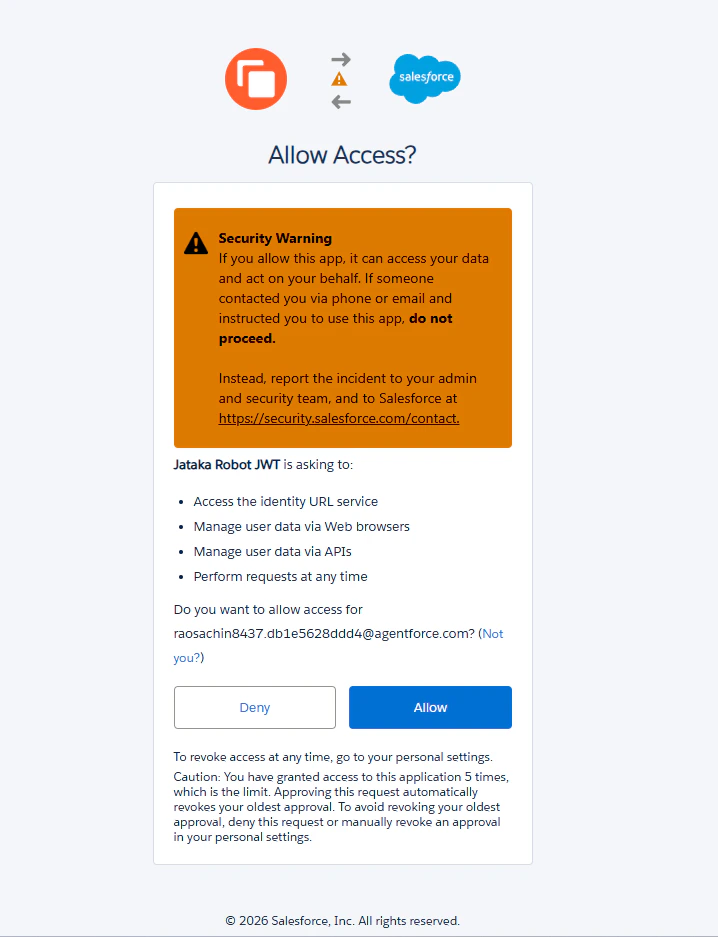
To seamlessly integrate your AI testing pipeline with Salesforce, Jataka uses a Connected App authorized through OAuth 2.0.
Because Jataka runs as an automated testing robot in CI/CD and scheduled workflows, it requires scoped permissions that allow secure, unattended execution without manual login on each run.
 ### Scope Breakdown
* **`api` (Manage user data via APIs)**
* **Scope meaning:** Allows Jataka to communicate with Salesforce over REST and SOAP APIs.
* **Why needed:** Core automation channel for reading metadata, executing validation logic, and writing test outcomes.
* **`refresh_token`, `offline_access` (Perform requests at any time)**
* **Scope meaning:** Allows Jataka to maintain a persistent secure session in the background.
* **Why needed:** Enables unattended pipeline and scheduled test execution without requiring repeated user re-authentication.
* **`web` (Manage user data via Web browsers)**
* **Scope meaning:** Allows token-based web session usage.
* **Why needed:** Supports deep-linking from Jataka dashboards to Salesforce pages for failed runs and diagnostics.
* **`full` (Full access)**
* **Scope meaning:** Grants access to all data/metadata that the authorizing user can access.
* **Why needed:** Ensures complete test coverage across custom objects, Apex, Flows, and cross-domain configurations.
## Jira OAuth Scopes
Jataka integrates with Atlassian Jira through standard OAuth 2.0 to connect test execution with project workflows.
This integration follows least-privilege principles and requests only the scopes needed for ticket lookup, automated issue creation, and workflow updates.
### Scope Breakdown
* **`api` (Manage user data via APIs)**
* **Scope meaning:** Allows Jataka to communicate with Salesforce over REST and SOAP APIs.
* **Why needed:** Core automation channel for reading metadata, executing validation logic, and writing test outcomes.
* **`refresh_token`, `offline_access` (Perform requests at any time)**
* **Scope meaning:** Allows Jataka to maintain a persistent secure session in the background.
* **Why needed:** Enables unattended pipeline and scheduled test execution without requiring repeated user re-authentication.
* **`web` (Manage user data via Web browsers)**
* **Scope meaning:** Allows token-based web session usage.
* **Why needed:** Supports deep-linking from Jataka dashboards to Salesforce pages for failed runs and diagnostics.
* **`full` (Full access)**
* **Scope meaning:** Grants access to all data/metadata that the authorizing user can access.
* **Why needed:** Ensures complete test coverage across custom objects, Apex, Flows, and cross-domain configurations.
## Jira OAuth Scopes
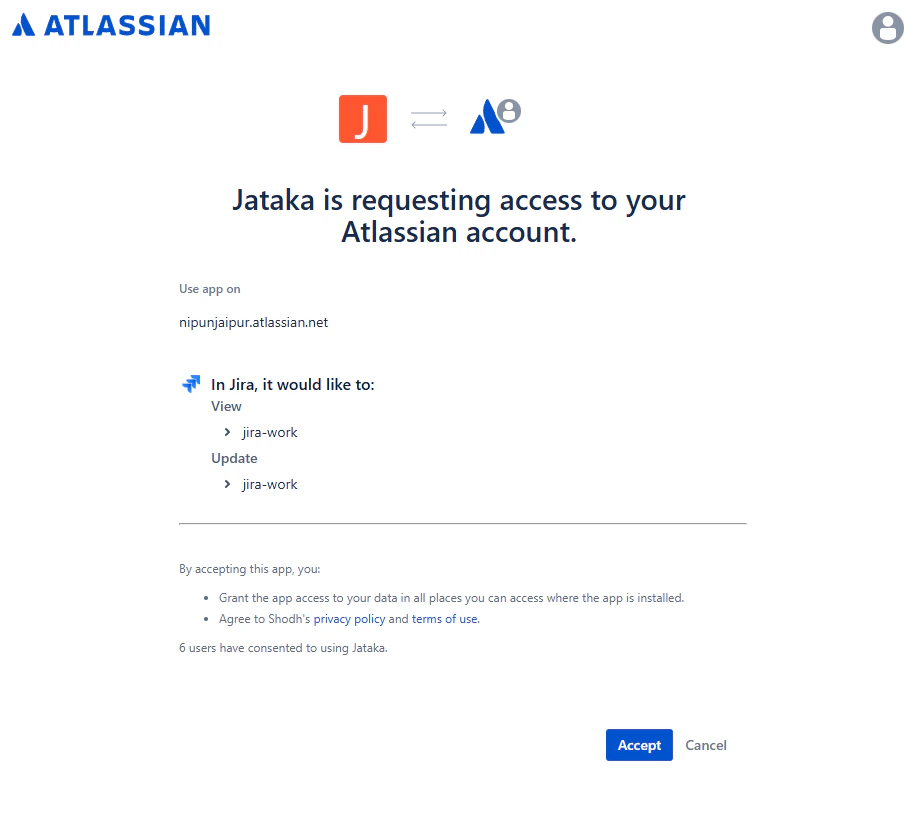
Jataka integrates with Atlassian Jira through standard OAuth 2.0 to connect test execution with project workflows.
This integration follows least-privilege principles and requests only the scopes needed for ticket lookup, automated issue creation, and workflow updates.
 ### Scope Breakdown
* **`read:jira-work`**
* **Scope meaning:** Read projects, issue details, search results, and attachments.
* **Why needed:** Enables context-aware linking of failed tests to existing work items and prevents duplicate issue creation.
* **`write:jira-work`**
* **Scope meaning:** Create and update issues, and post comments.
* **Why needed:** Powers automated bug creation and lifecycle updates tied to subsequent test outcomes.
* **`read:jira-user`**
* **Scope meaning:** View basic user profile information already visible to the authorizing user.
* **Why needed:** Supports assignment and targeted mentions in automation workflows.
Jataka does not require Jira global admin scopes and does not require Confluence access for this integration.
## Slack App Permissions
Slack integration enables real-time collaboration around test outcomes, architecture violations, and release readiness.
### Scope Breakdown
* **`read:jira-work`**
* **Scope meaning:** Read projects, issue details, search results, and attachments.
* **Why needed:** Enables context-aware linking of failed tests to existing work items and prevents duplicate issue creation.
* **`write:jira-work`**
* **Scope meaning:** Create and update issues, and post comments.
* **Why needed:** Powers automated bug creation and lifecycle updates tied to subsequent test outcomes.
* **`read:jira-user`**
* **Scope meaning:** View basic user profile information already visible to the authorizing user.
* **Why needed:** Supports assignment and targeted mentions in automation workflows.
Jataka does not require Jira global admin scopes and does not require Confluence access for this integration.
## Slack App Permissions
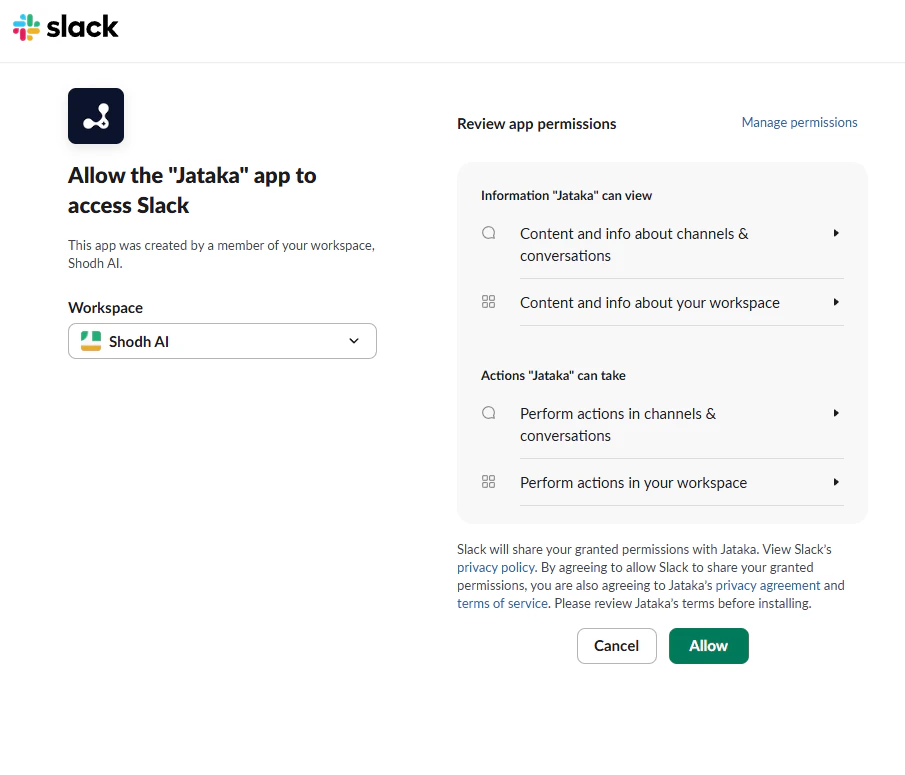
Slack integration enables real-time collaboration around test outcomes, architecture violations, and release readiness.
 ### Information Jataka Can View
* View files shared in channels and conversations where Jataka is installed
* View messages and content in direct messages where Jataka is present
* View messages and content in public channels where Jataka is present
* View messages and content in private channels where Jataka is present
* View basic information about public channels in the workspace
* View basic information about private channels where Jataka is present
* View people in the workspace
### Actions Jataka Can Take
* Send messages as `@Jataka`
* Upload, edit, and delete files as Jataka
* Start direct messages with users
* Add shortcuts and slash commands
### Operational Best Practices
* Start with a limited channel rollout before expanding workspace-wide.
* Validate escalation messages and ownership routes with a staged test run.
* Align Slack notification severity levels with your incident policy.
With these scopes configured, Jataka can run secure, policy-aligned automation across source control, testing, issue tracking, and team communication.
### Information Jataka Can View
* View files shared in channels and conversations where Jataka is installed
* View messages and content in direct messages where Jataka is present
* View messages and content in public channels where Jataka is present
* View messages and content in private channels where Jataka is present
* View basic information about public channels in the workspace
* View basic information about private channels where Jataka is present
* View people in the workspace
### Actions Jataka Can Take
* Send messages as `@Jataka`
* Upload, edit, and delete files as Jataka
* Start direct messages with users
* Add shortcuts and slash commands
### Operational Best Practices
* Start with a limited channel rollout before expanding workspace-wide.
* Validate escalation messages and ownership routes with a staged test run.
* Align Slack notification severity levels with your incident policy.
With these scopes configured, Jataka can run secure, policy-aligned automation across source control, testing, issue tracking, and team communication.